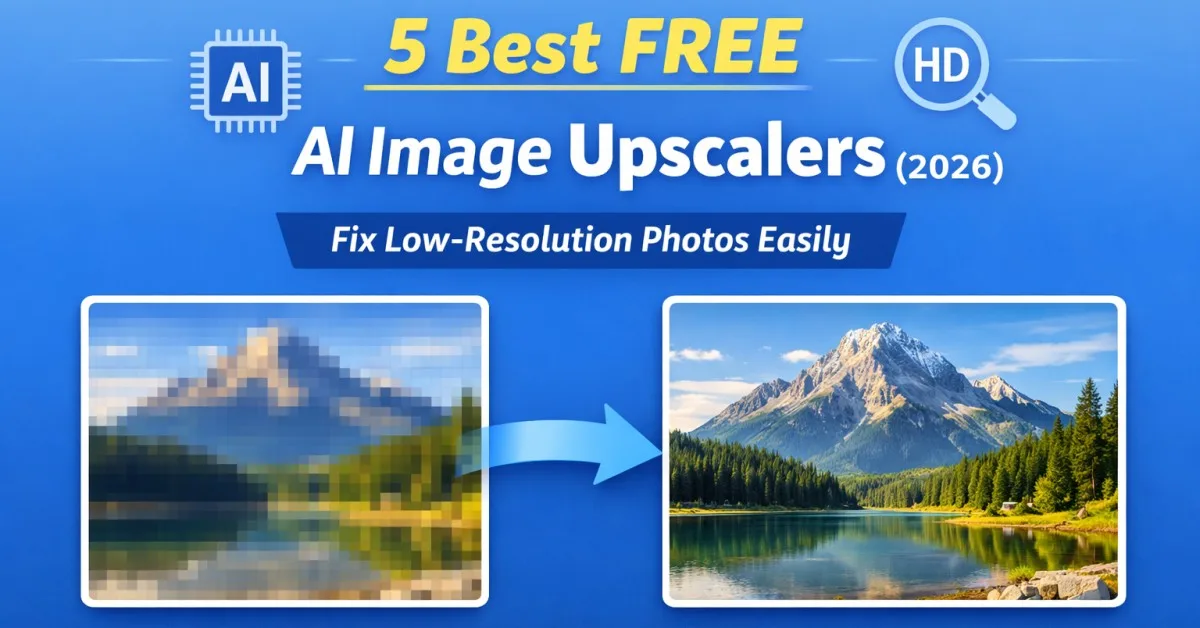
Low-quality images are a common problem today. Many photos look fine on mobile screens, but the moment you upload them to a website, edit them for a thumbnail, or try to use them on social media, the issues become clear. Blurry edges, pixelation, low resolution, and loss of details can make an image look unprofessional.
This problem becomes even bigger for bloggers, freelancers, ecommerce sellers, and creators who need sharp visuals regularly but don’t want to spend money on premium software.
That’s where AI Image Upscalers help. These tools use AI models to increase image resolution, rebuild missing details, reduce blur, and improve sharpness automatically. You just upload your image, choose the upscale level, and download the enhanced photo.
In this post, I’m sharing the 5 best FREE AI image upscalers in 2026 that can genuinely help you fix low-resolution photos quickly.
Table of Contents
What is AI Image Upscaling?
AI image upscaling means increasing the size and resolution of an image using artificial intelligence.
Normally, if you enlarge an image manually, the photo becomes more pixelated because the software is simply stretching the existing pixels. AI upscalers work differently. They analyze the photo, predict missing pixels, rebuild textures, and try to keep the result natural-looking.
This is useful for:
Improving old photos, increasing image size for websites, fixing compressed images, enhancing product photos, and making thumbnails sharper.
How I Selected These AI Upscalers (Testing Parameters)
To make this list practical, I focused on real-world performance. I compared tools using these points:
- Output quality: how sharp and natural the enhanced image looks
- Upscale limit: 2X, 4X, 8X, 16X, etc.
- Free plan limits: daily exports, credit limits, watermark restrictions
- Ease of use: simple interface, no complicated setup
- Speed: how quickly the tool generates output
- Supported file types: JPG/PNG/WEBP/HEIC support
5 Best FREE AI Image Upscalers (2026) Comparison Table
| Tool | Max Upscale (Free) | Free Limits | Best For | Platform |
|---|---|---|---|---|
| Freepik Image Upscaler | Up to 16X (depends on mode) | Limited daily usage | Best overall quality for most users | Web |
| iLoveIMG Upscale Image | 2X / 4X | Not credit-based (mainly usage-based) | Beginners + quick upscaling | Web |
| PixelBin Image Upscaler | Up to 8X (credits-based) | Free credits on sign-up / free plan credits | Ecommerce & bulk creators | Web |
| Upscale.media | 2X / 4X (and more options) | Free downloads/credits limited | Fast improvements without signup | Web |
| ImgUpscaler | 200% / 400% | Monthly free credits | Freelancers & designers | Web |
1) Freepik Image Upscaler (Best Overall Free AI Upscaler)
If you want a tool that gives consistently clean results with minimal effort, Freepik Image Upscaler is currently one of the best options available.
It supports different upscaling models and is useful not only for increasing resolution, but also for improving overall clarity of compressed and low-detail images. Freepik also highlights that it can upscale images up to 16× depending on the mode used.
Why it works well in real use
Freepik’s output looks sharp without making the image look artificial. This matters because many AI tools oversharpen edges, making faces and objects look unnatural. Freepik usually maintains a balanced result.
Supported formats
It supports common formats like JPG/PNG and works fully online.
Best for
Bloggers, YouTubers, marketers, and creators who want strong output quality without learning photo editing.
2) iLoveIMG Upscale Image (Fast and Beginner-Friendly)
iLoveIMG is one of the easiest tools for upscaling images. It lets you upload an image and select the upscale level (2X or 4X). Their tool mentions it upscales images smaller than 6MP and provides 2x/4x options.
This is perfect if you don’t want complex settings. The interface stays clean and works smoothly on desktop browsers.
What makes it useful
It’s a “quick fix” upscaler. If you have screenshots, blog images, or social media images that look slightly blurry, iLoveIMG improves them in seconds.
Limitations
It’s not ideal for heavy restoration like damaged old photos. But for normal upscaling needs, it works well.
Best for
Students, beginners, bloggers, and anyone who wants fast results without technical settings.
3) PixelBin Image Upscaler (Good for Ecommerce & Product Images)
PixelBin is known as an AI-based image editing platform, and its image upscaler is strong for practical use cases like ecommerce and marketing.
PixelBin’s website confirms it offers free usage for new users with a credit limit (credits allow you to try tools before upgrading).
Why PixelBin stands out
PixelBin focuses on preserving textures and sharp edges. Their upscaler is designed to keep fine details stable after enlargement, which helps product photos look clearer.
If you’re building an ecommerce store, improving product images can increase trust and improve click-through rate.
Limitations
It is credit-based, so free usage is limited. But for occasional upscaling or testing, it’s still a good free tool.
Best for
Ecommerce sellers, product photo editing, marketing creatives, and website owners.
4) Upscale.media (No Signup, Very Quick Results)
Upscale.media is another popular tool that is specifically focused on easy AI image upscaling. It markets itself as a free AI image upscaler and highlights fast processing, no watermark, and quick browser-based enhancement.
Why it’s useful
This is one of the best tools when you want instant upscaling without creating an account. You can just open the site, upload your image, and upscale quickly.
It works well for:
low resolution photos, WhatsApp images, compressed images downloaded from the internet, and social media pictures.
Limitations
The free plan includes limited exports/credits, so it’s best for occasional use.
Best for
Quick image enhancement when you don’t want to sign up or install any app.
5) ImgUpscaler (Best for Monthly Free Credits)
ImgUpscaler is a free online upscaling tool that supports AI-based image enlargement. It states it can enlarge images by 200% or 400% without losing quality.
Why many freelancers like it
This tool is useful if you want predictable enlargement ratios like 2X/4X equivalents (200%/400%). It also works well for illustration-like images, UI designs, and non-human photos.
Limitations
The processing can sometimes feel slower than lighter tools. Also, results depend heavily on the original image quality.
Best for
Freelance designers, bloggers, and users who want a simple ratio-based upscaling tool.
Which Free AI Upscaler Should You Choose? (Quick Recommendation Table)
| Your Need | Best Tool |
|---|---|
| Best overall quality | Freepik |
| Easiest for beginners | iLoveIMG |
| Product photos / ecommerce | PixelBin |
| No-signup quick upscaling | Upscale.media |
| Ratio-based enlargement (200%-400%) | ImgUpscaler |
Benefits of Using an AI Image Upscaler
1. Improve Resolution for Web Use
If your image looks blurry on your website, upscaling helps improve appearance and makes content look more trustworthy.
2. Fix Low-Quality Social Media Photos
Old photos downloaded from WhatsApp or social platforms often lose detail due to compression. AI upscalers help restore clarity.
3. Restore Old Memories
Some tools can rebuild faded areas and improve detail, making old family photos more usable.
4. Save Editing Time
Manual photo enhancement requires skill and time. AI tools reduce effort to a few clicks.
5. Improve Thumbnails and Blog Images
For bloggers and YouTubers, sharper thumbnails mean better first impression and higher engagement.
Conclusion
If you work online in 2026, images matter more than ever. But you don’t need expensive software just to fix blur or low resolution.
For most users, Freepik is the best free choice for quality. If you want something simple and quick, iLoveIMG works great. Ecommerce users should try PixelBin, while Upscale.media is ideal for quick upscaling without signup. For ratio-based upscaling with simple output, ImgUpscaler is also a strong option.