These tools can write emails, generate smart replies, summarize long conversations, fix grammar/tone, schedule messages, and even organize inbox clutter. Whether you’re a student, freelancer, marketer, job seeker, manager, or business owner — an AI email assistant can save you hours every week.
Table of Contents
In this guide, you’ll discover the 5 best AI email assistants (2026) with pricing, features, comparisons, pros/cons, and FAQs.
What are AI Email Assistants?
AI Email Assistants are tools that use artificial intelligence to improve your email workflow. They help you:
- Write emails faster
- Generate instant replies
- Summarize long email threads
- Fix grammar and tone
- Create follow-up emails
- Schedule emails automatically
- Organize your inbox and reduce clutter
In simple words: they make email feel effortless.
Key Benefits of Using AI Email Assistants
Here’s why people love them:
- Saves Time: Write emails in seconds instead of minutes
- Better Replies: More polite, clear, and professional communication
- No More Confusion: AI summaries make long threads easy
- Smart Scheduling: Quickly book meetings & send emails later
- Inbox Cleanup: Some tools reduce clutter and highlight priority emails
- Boost Productivity: You focus on work, not emails
Quick Comparison Table (2026)
| Tool Name | Best For | Standout Features | Works With | Free Plan | Starting Price* |
|---|---|---|---|---|---|
| Mailbutler | Professionals, sales & freelancers | Send later, tracking, tasks, to-do | Gmail, Apple Mail, Outlook | Trial only | $5/mo |
| Shortwave | Productivity + inbox management | AI email agent, search, summaries | Gmail/Outlook via Shortwave app | Trial | $24/mo (Business) |
| MailMaestro | Busy corporate users | AI thread summaries + rapid replies | Gmail & Outlook | Yes (limited) | $15/mo |
| Merlin AI | Casual Gmail users | Quick reply buttons + rewrite | Chrome + Mobile | Limited | From $19/mo |
| Mailmeteor | Outreach + follow-ups | AI writer + automated follow-up | Gmail extension | Yes | $4.99/mo |
*Prices may change depending on billing (monthly/annual), region, and plan.
1) Mailbutler
Mailbutler is like turning your inbox into a smart assistant. It integrates directly with Gmail, Apple Mail, and Outlook, and gives you a full email productivity upgrade.
Best Features
- AI email drafting inside inbox
- Grammar & rewriting
- Smart scheduling (send later)
- Email tracking (opens/clicks)
- To-do lists and tasks created from emails
Best For
Freelancers, sales teams, marketers, and professionals who handle emails daily.
Pricing
- 14-day free trial
- Paid plans start at $5/month
Cons
- No permanent free plan
- Inbox management is limited compared to Shortwave
2) Shortwave
Shortwave is not just a writing tool — it’s a full AI-first email client. It pulls your inbox into its own dashboard and helps you write, search, and organize using AI prompts.
Standout Features
- AI-generated email drafts + subject lines
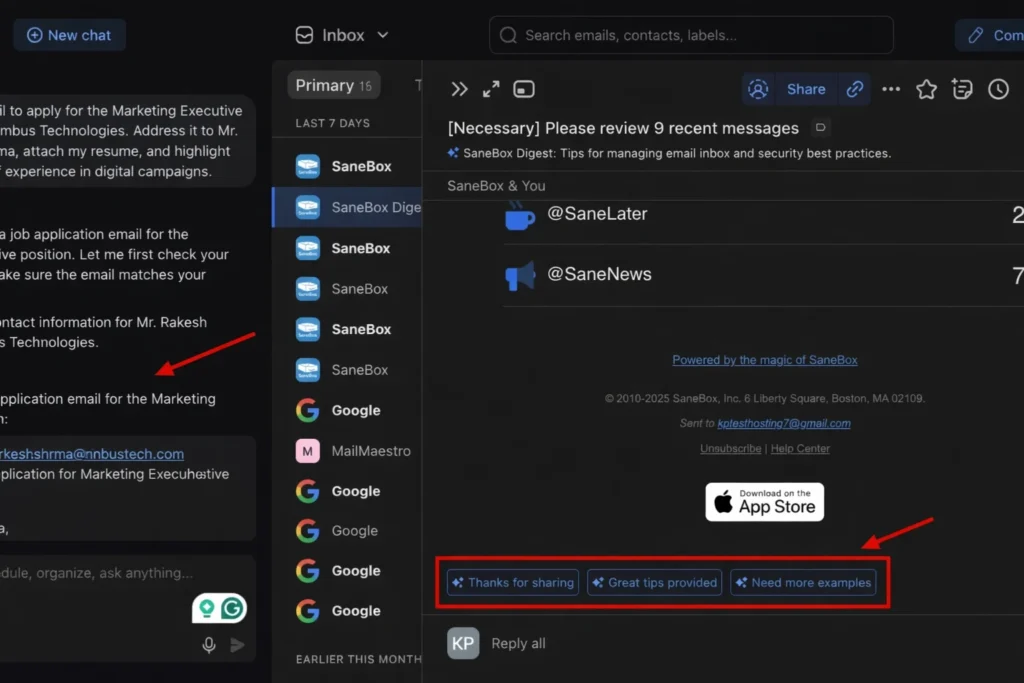
- Smart reply suggestions
- “AI Agent” to organize inbox with prompts
- Integrations (Calendar, productivity apps)
Best For
People who want maximum productivity and hate inbox mess.
Pricing
- 14-day free trial
- Business plan shown at $24/month
Cons
- Not ideal if you want to stay fully inside Gmail UI
- No strong permanent free plan
3) MailMaestro
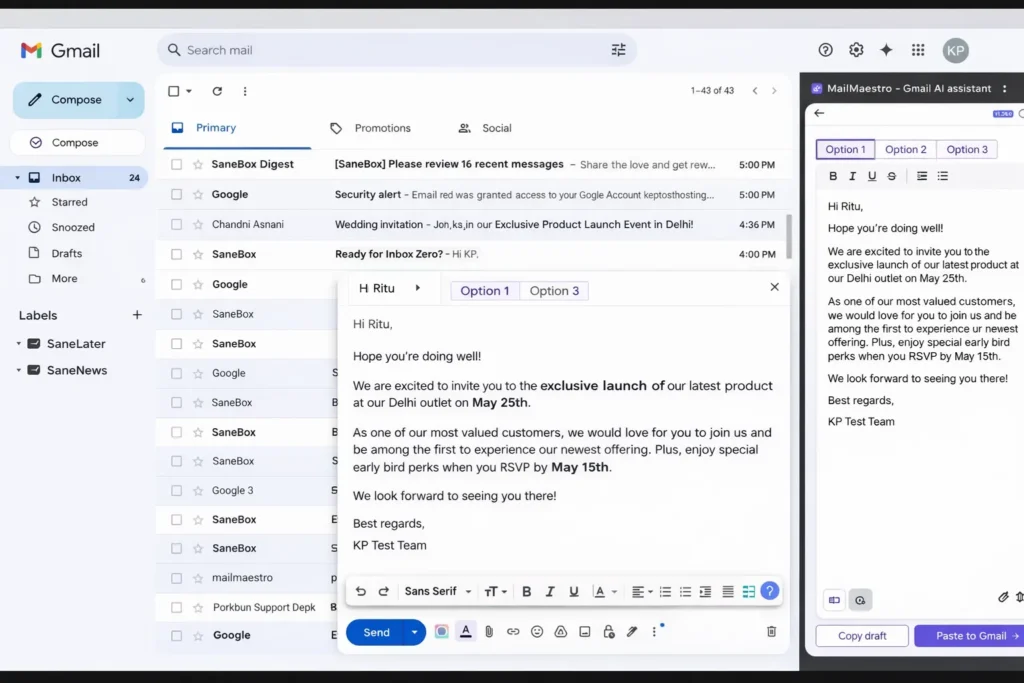
MailMaestro is one of the best tools for people who work in corporate environments and deal with long professional threads.
Why It’s Great
- Generates professional emails quickly
- Thread summarization
- “Rapid Reply” actions for quick responses
- Tone options (formal, urgent, friendly)
Best For
Managers, corporate professionals, HR teams, and executives.
Pricing
- Free plan exists but limited
- Paid plans around $15/month
Cons
- Inbox organization isn’t as advanced as Shortwave
4) Merlin AI
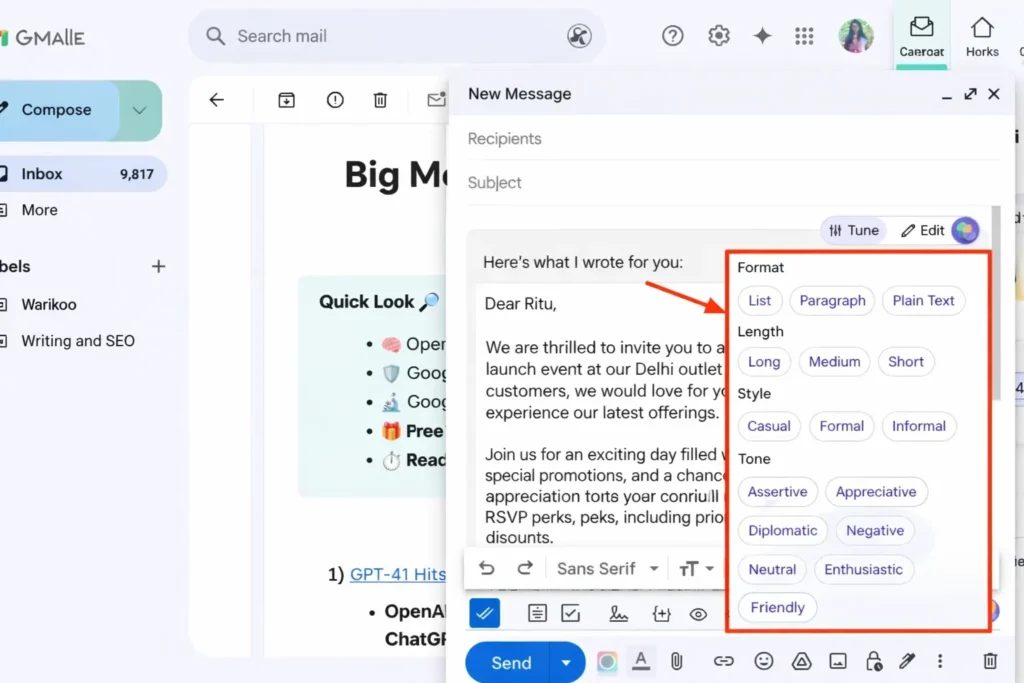
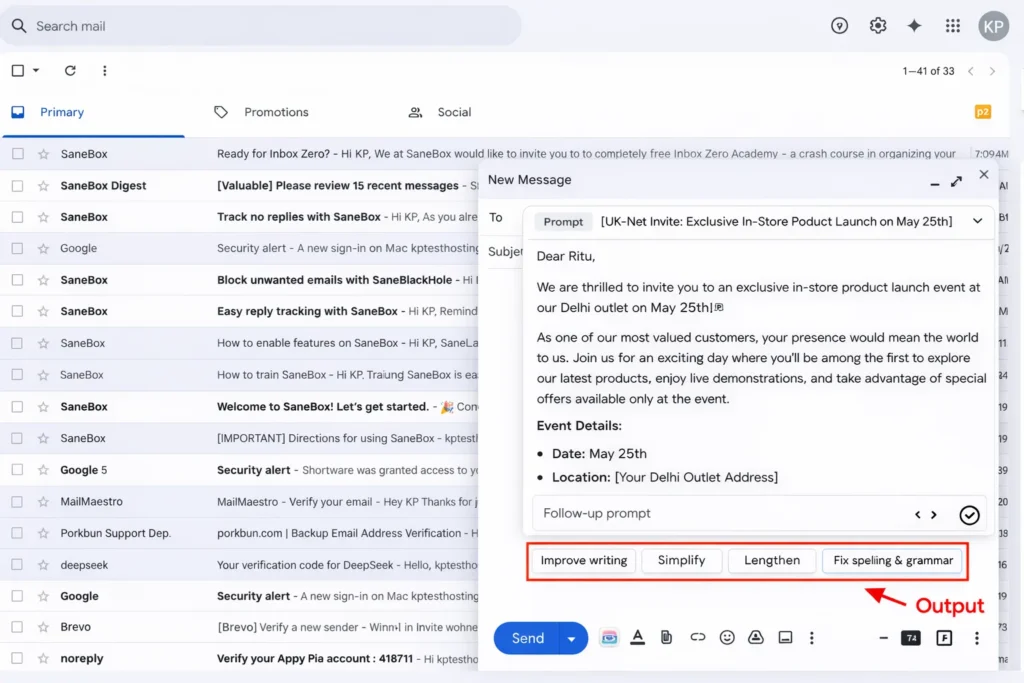
Merlin AI is a lightweight tool compared to full email clients, but it’s super useful if your main need is replying quickly and improving writing inside Gmail.
Key Features
- Gmail AI button for drafting
- Quick replies: Yes / No / Follow-up
- Rewrite: shorten, expand, simplify, correct grammar
Best For
Everyday Gmail users who want faster replies without learning new apps.
Pricing
- Limited free plan
- Paid plans start from around $19/month
Cons
- No inbox management
- Limited integrations
5) Mailmeteor
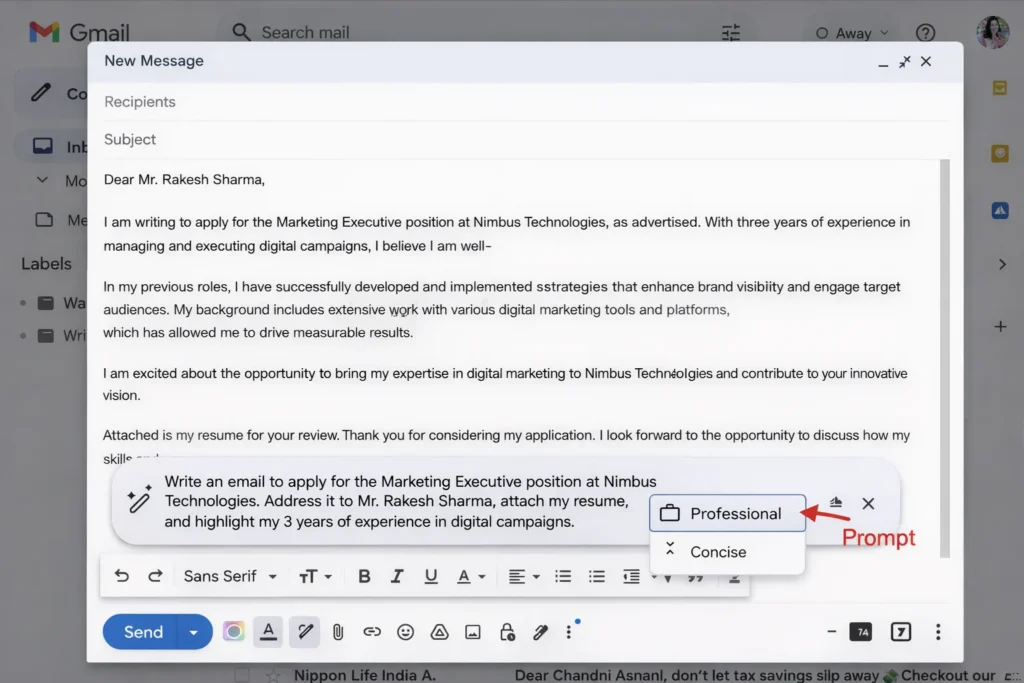
If you send outreach emails, follow-ups, or small business email campaigns, Mailmeteor is a strong choice.
Best Features
- AI email generator inside Gmail
- Send with follow-up automation
- Works with Sheets / Docs for outreach lists
Best For
Marketers, startups, freelancers, and outreach campaigns.
Pricing
- Free plan with daily/monthly limits
- Paid plan starts at $4.99/user/month
Cons
- Weak AI editing features compared to Mailbutler/MailMaestro
- No inbox productivity features
Which AI Email Assistant Should You Choose? (Quick Guide)
Here’s the simplest way to decide:
- Want best email productivity system → Shortwave
- Want best inbox add-on for Gmail/Outlook → Mailbutler
- Want summaries + quick corporate replies → MailMaestro
- Want reply buttons + simple writing in Gmail → Merlin AI
- Want follow-ups and outreach automation → Mailmeteor
FAQs (Frequently Asked Questions)
Q1. Are AI email assistants safe to use?
Most top tools use encryption and secure permissions. Still, you should avoid sharing sensitive information and always check privacy policies before connecting your inbox.
Q2. Can AI email assistants write emails automatically?
Yes. Most tools can create full drafts from prompts and also generate replies inside threads.
Q3. Which AI email assistant is best for Gmail?
Top choices for Gmail users are Mailbutler, Merlin AI, Mailmeteor, and Shortwave.
Q4. Which AI email tool is best for summarizing threads?
MailMaestro is excellent for thread summaries, while Shortwave also supports summaries and inbox AI actions.
Q5. Which tool is best for sales follow-ups?
Mailmeteor is best for follow-up sequences and outreach.
Q6. Do these tools work with Outlook?
Many do, including Mailbutler and MailMaestro, and Superhuman also supports Outlook accounts.
Final Thoughts (Conclusion)
AI Email Assistants are no longer a “nice-to-have” tool. In 2026, they’re becoming essential productivity software — just like calendars and notes apps.
If your inbox feels stressful, cluttered, or time-consuming, using even one AI email assistant can help you:
- respond faster,
- sound more professional,
- never miss follow-ups,
- and stop wasting hours every week.
My top recommendation:
If you want the most complete email experience, go for Shortwave (AI inbox + automation).
If you want an easy upgrade without changing platforms, choose Mailbutler (works directly inside Gmail/Outlook/Apple Mail).